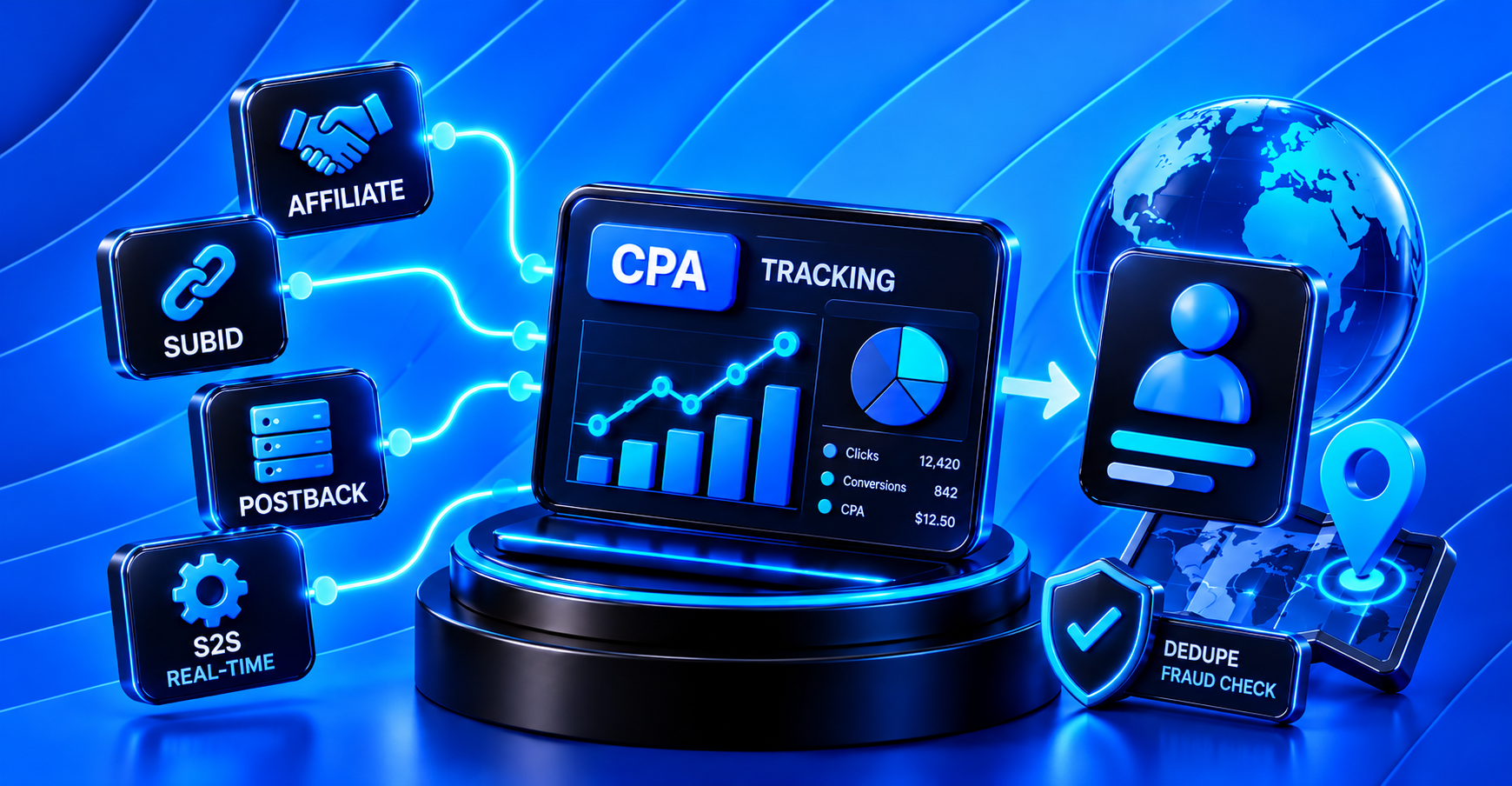
A lead comes in, and there's no way to tell which affiliate sent it, through which traffic source, or from which campaign. Without an answer to that question, you can't pay fairly for traffic, and you can't tell which affiliate (see How the Market Works: Who Are Affiliates for more on who they are and how they operate) is actually sending you real customers versus one who's just padding the numbers. Here's what tracking in CPA actually consists of, and what an advertiser should be looking for.
1. Postback (S2S) vs. Cookie-Based Tracking
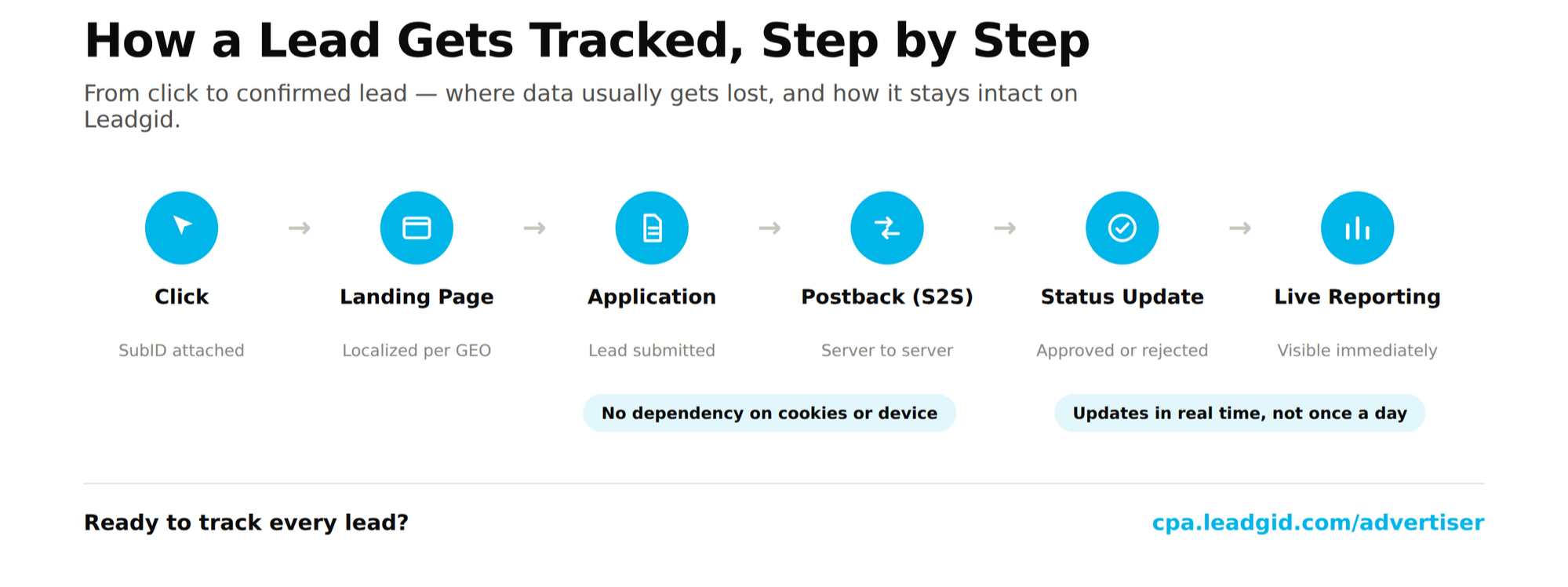
The most common source of broken tracking is a setup that depends on cookies and the browser. If a user switches devices, clears cookies, or converts through an app instead of a browser, part of the conversion data simply disappears.
-
Postback (server-to-server, or S2S) — the advertiser's server reports a lead's status directly to the tracking system, with no dependency on the user's browser
-
Works the same way for web and mobile apps, and isn't affected by ad blockers or cookie settings
-
Passes not just the fact of a conversion, but its status changes — confirmed, rejected, pending review
-
Doesn't lose data when a user switches devices mid-session
On Leadgid: postback integration is set up during onboarding with your account manager — lead status updates reach the affiliate in real time, with no manual spreadsheet reconciliation.
2. SubID and Multi-Channel Analytics
Knowing that "Affiliate X" sent a lead isn't enough — a single affiliate can run traffic from a dozen different sources with very different quality. Without a more granular tag, all of it collapses into one number.
-
SubID is a unique parameter passed on every click that identifies the specific source, campaign, or creative within one affiliate's traffic
-
It's preserved through the entire funnel and returned in the postback along with the lead's final status
-
It shows exactly which source within an affiliate's traffic is sending quality leads, and which is just adding volume
-
It gives the advertiser a basis for targeted decisions — adjusting payout for one specific source instead of cutting off the whole affiliate
On Leadgid: SubID is visible in reporting for every lead — advertisers see the breakdown not just by affiliate, but by their traffic sources too.
3. Lead Deduplication and Fraud Protection
Tracking without deduplication and fraud checks creates a real risk: paying twice for the same contact, or paying for traffic that was never a real customer to begin with.
-
Deduplication cross-checks new leads against ones already received, using phone number, email, or other identifiers, so you don't pay for the same lead twice
-
Fraud pattern checks — click spikes from a single device or IP, suspiciously short time between click and conversion, traffic from a GEO the offer doesn't target
-
Suspicious leads are flagged automatically before confirmation, not after they've already been paid for
-
A specific reason for rejection, so the advertiser sees exactly what failed the check instead of a generic decline
On Leadgid: built-in fraud detection screens traffic before a lead gets confirmed, not after the money's already spent.
4. Real-Time Reporting
Even solid tracking is useless if the data lands in your report a day or two late — by then, the budget on a bad source is already spent.
-
Stats update in real time, not in daily batches
-
Breakdowns are available by GEO, affiliate, and source (SubID) at the same time, not just in aggregate
-
A drop in approval rate or a suspicious traffic spike shows up immediately, not after the fact at month's end
-
Change history is preserved, so a conversion drop can be matched to a specific day or source
On Leadgid: approval stats are available in real time, broken down by rejection reason — advertisers see a problem the day it happens, not at the end of the reporting period.
The Bottom Line
Tracking is the infrastructure everything else runs on: without it, you can't honestly evaluate approval rate (see Rates, Approval, Landing Pages, Terms: What Makes an Offer Attractive), and you can't choose a network you can actually trust (see the checklist: How to Choose a CPA Network: A Checklist for Advertisers). Good tracking doesn't draw attention to itself until you need it — but it's what turns disputes about traffic quality into numbers you can actually act on.
FAQ
- Postback sends data directly between servers, so it doesn't depend on the user's browser, device, or cookies. Cookie-based tracking loses data when a user switches devices, converts through an app, or clears cookies, which makes it less reliable for CPA.
- SubID is a tag that shows exactly which source within an affiliate's traffic a lead came from. Without it, an advertiser only sees an aggregate number per affiliate and can't tell which specific channel is sending quality customers.
- Warning signs include an unusually short gap between click and lead, a traffic spike from a single IP or device, or traffic from a GEO the offer doesn't target. A fraud detection system should flag leads like these before confirmation, not after they've been paid for.
- Usually not — postback and SubID parameters are configured once during onboarding with the network's account manager, after which data flows in automatically with no extra work required from the advertiser.